Classroom & Beyond
An 83-Page Canva Toolkit Helping Educators Simplify School Communications – Developed in Six Weeks
PRODUCT DESIGN | VISUAL COMMUNICATION | EDUCATIONAL RESOURCES
Role: Product Designer, Graphic Designer, Researcher & Creator
Team: Independent / Solo
Timeline: Four Weeks
Tools: Canva, Microsoft Word, Gumroad
Deliverable: 83 Editable Canva Pages Across 12 Categories
01 – Project Overview
As a graphic design educator, I regularly create classroom presentations, assignment materials, posters, event flyers, and other school communications. Between teaching, planning lessons, and supporting student activities, I understand how much time goes into designing materials that are both functional and visually appealing.
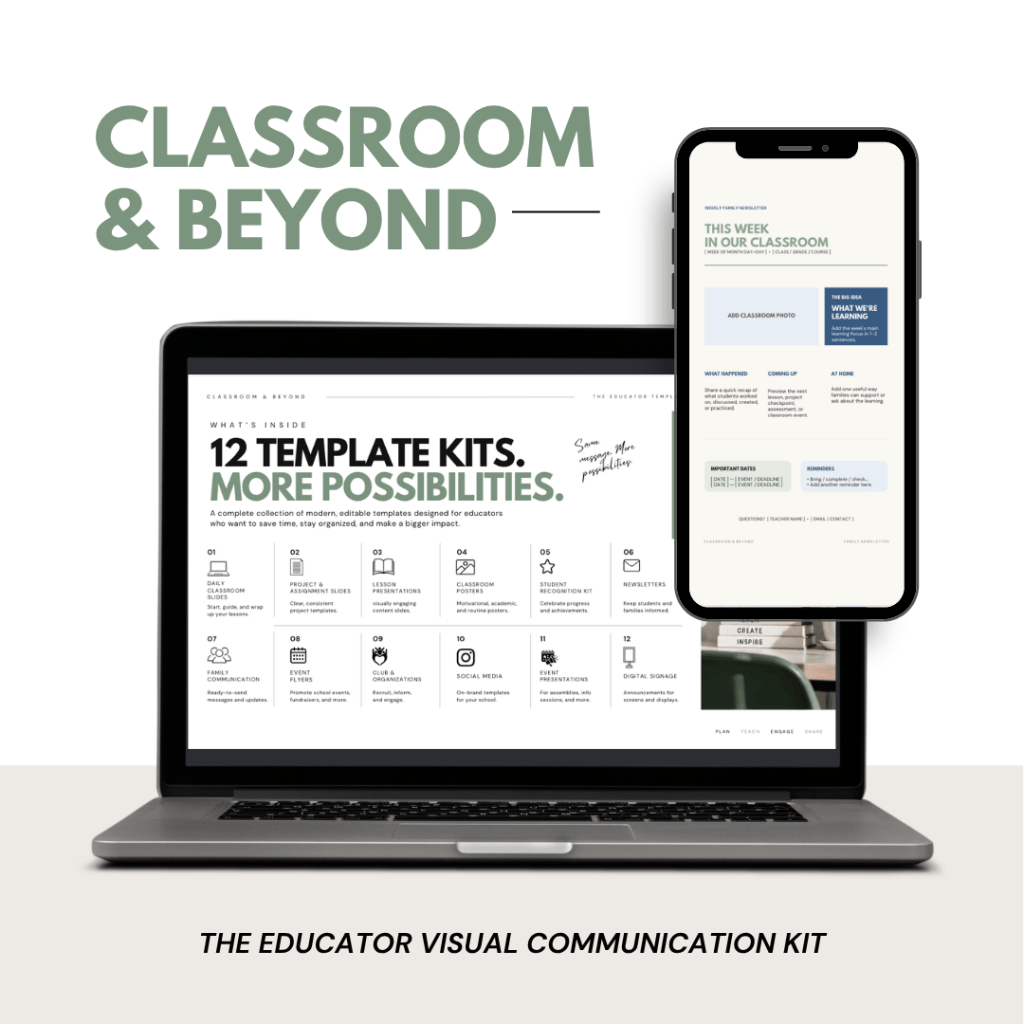
This experience inspired me to create Classroom & Beyond, an editable Canva toolkit designed for teachers, class advisors, and school staff who want to create professional looking resources without starting from scratch.
My goal was to develop one cohesive visual communication system that could support educators both inside and outside the classroom.
02 – The Problem
Through competitive research and conversations with educators, I identified three main challenges:
- Fragmented resources: Many existing template collections focus on individual classroom tasks rather than offering a complete visual communication system.
- Inconsistent design: Templates from different sources often lack a coordinated visual style.
- Limited secondary-school options: Many educational resources use styles that feel more appropriate for younger students.
Design Challenge: How can I create a flexible toolkit that helps educators develop professional, consistent materials without designing everything from scratch?
03 – Research & Validation
I began by analyzing educational design resources on Teachers Pay Teachers, Etsy, and Canva. I compared existing products based on their organization, visual style, intended audience, and usability.
I also developed two customer profiles:
- High School Teacher: Needs classroom presentations, assignments, and instructional materials.
- Student Activities Coordinator: Needs event flyers, announcements, social media graphics, and school communications.
After exploring three potential product concepts and discussing them with three fellow educators, I selected Classroom & Beyond because it addressed both audiences.
04 – My Approach
My design process focused on three priorities:
- Consistency: Establish a recognizable visual identity across every product category.
- Flexibility: Create editable layouts that can accommodate different types of content.
- Usability: Make the toolkit approachable for educators with varying levels of design experience.
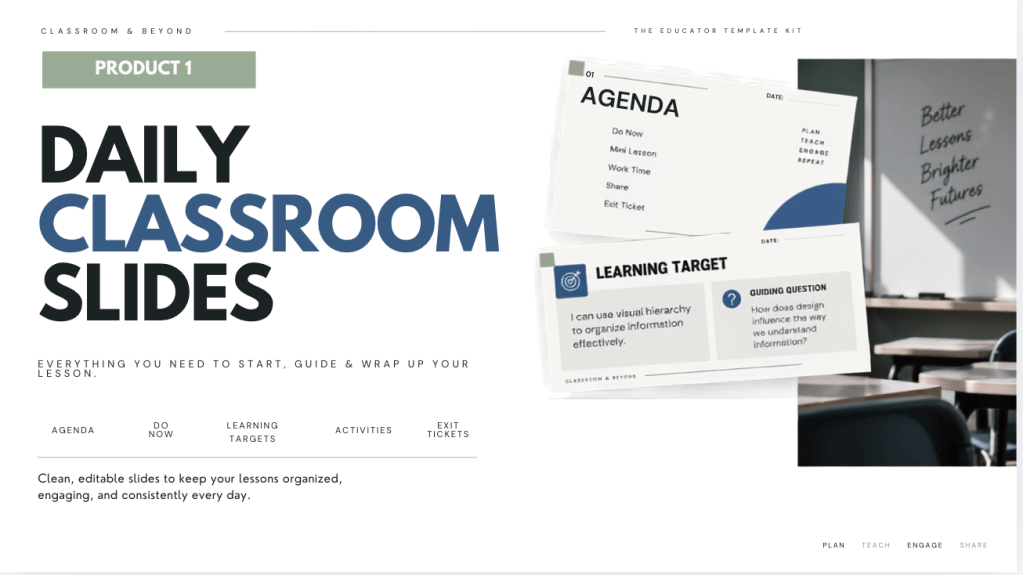
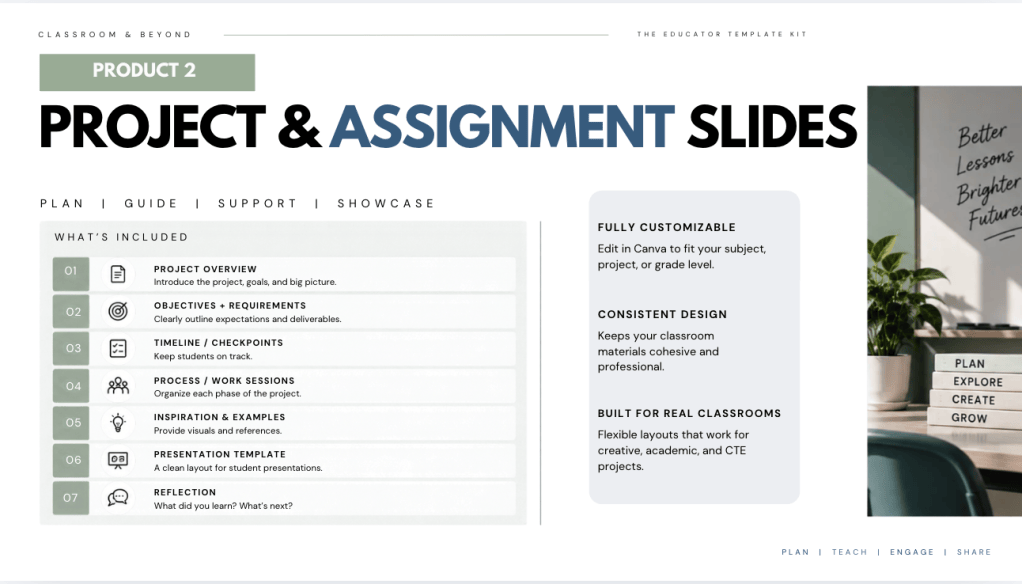
I began with Daily Classroom Slides and Project & Assignment Slides before expanding into the remaining categories.Throughout development, I refined typography, spacing, colors, and layout organization to create a coordinated system.
05 – What I Built
01 – 83 Editable Canva Pages
- Provides ready-to-customize classroom and school communication resources.
- Helps educators avoid starting every design from scratch.
02 – 12 Coordinated Product Categories
- Supports classroom instruction, student recognition, school events, and communication.
- Maintains a consistent visual identity across different materials.
03 – Quick Start Design Guide
- Explains how to customize fonts, colors, and layouts.
- Provides basic instructions for exporting finished designs.
Included Categories
- Daily Classroom Slides
- Projects & Assignments
- Lesson Presentations
- Classroom Posters
- Student Recognition
- Newsletters
- Family Communication
- Event Flyers
- Clubs & Organizations
- Social Media Graphics
- Event Presentations
- Digital Signage
06 – Testing & Feedback
I shared selected designs with fellow educators to gather feedback on the visual presentation and usability of the templates.
What Educators Said
“I like the clean, modern design and how easy the slides are to follow. I would suggest adding more space for longer instructions and learning targets.”
— Teacher 1
“I like that all the templates have a consistent style and could save time when planning. I would still need a quick guide on how to customize everything in Canva which could make the kit even more useful.”
— Teacher 2
Changes Based on Feedback
- Simplified selected layouts to improve readability.
- Increased flexibility for longer classroom instructions.
- Developed a Quick tart Design Guide.
- Maintained a consistent visual identity across the toolkit.
07 – Challenges & Iterations
The development process presented several challenges:
- Time management: Balancing product development with my responsibilities as a full-time teacher.
- Layout flexibility: Adjusting templates to accommodate different types and lengths of content.
- Design consistency: Maintaining the same visual identity across 12 different categories.
To address these challenges, I worked in shorter design sessions, revisited selected layouts, and prioritized functionality alongside visual appeal.
08 – Packaging & Launch
Once the design development was complete, I focused on preparing the toolkit for delivery.
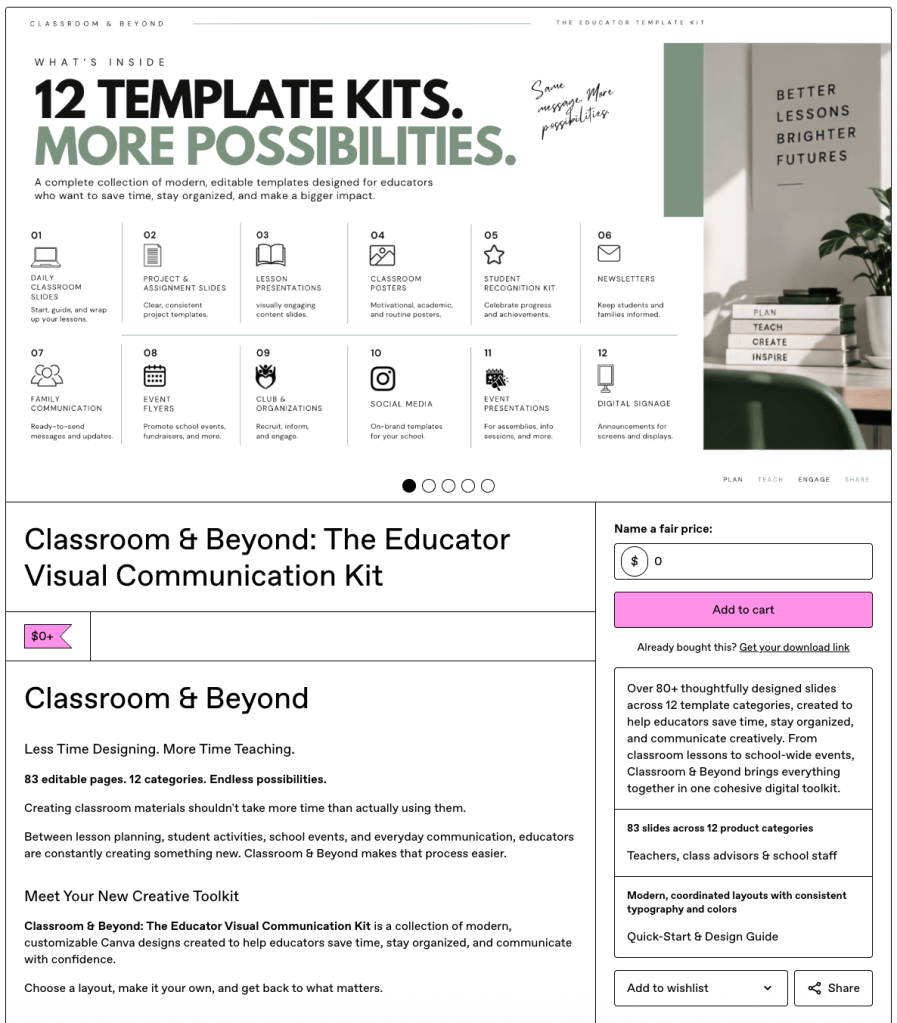
I created a Quick Start Design Guide explaining how to customize and export the templates. I also developed a Gumroad sales page to introduce the product, showcase its features, and provide access to the collection.
I chose to offer Classroom & Beyond as a free resource to make the templates accessible to educators.
Explore Classroom & Beyond on Gumroad
09 – What I’d Improve Next
- Additional usability testing: Have educators independently customize the templates to identify confusing steps or areas for improvement.
- Expand based on user feedback: Gather feedback from educators who download the toolkit and create additional templates based on their needs.
10 – Final Reflection
This project challenged me to think beyond the visual appearance of a design and consider the full experience of developing and launching a digital product. From market research and customer profiles to template development, educator feedback, and product packaging, each stage contributed to the final outcome. As both a designer and educator, I was able to combine my creative skills with my understanding of the everyday communication needs of teachers.
My biggest takeaway: Good design isn’t just about how something looks. It’s about how well it works for the people using it.

